
Move records with Swap
Move your records from one species to another, from one taxonomy to another, or from one place to another, and see exactly what will change before you do.
Updated
Swap moves your records from one species, taxonomy or place to another, in one step. You might use it to settle a split after a taxonomy update, to move your journal onto a different taxonomy, or to merge a place of your own into the Library’s.
Open Tools ▸ Swap. It has three tabs: Species, Taxonomies and Locations. Each one shows what will move before anything happens, and nothing changes until you press Swap and confirm.
Swap works the same on every device. On a phone, Tools is in the ⋮ menu.
Species
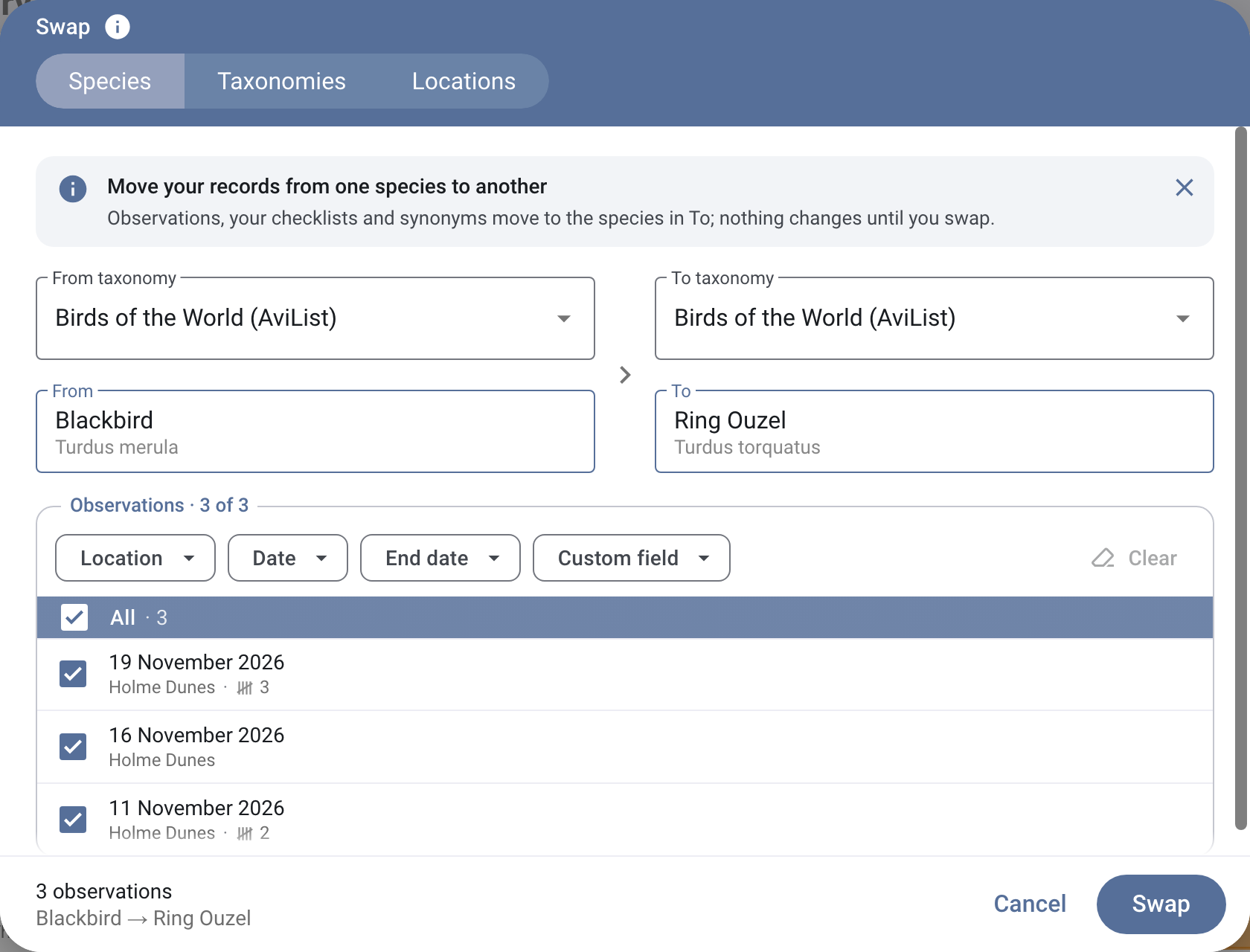
Use this tab to move records from one species to another: a split you have settled, a bird you misidentified, or a species you have been recording under the wrong name.
- Choose the taxonomy and species to move from, in From taxonomy and From.
- Choose where they go, in To taxonomy and To.
Swap then lists everything of yours that uses the species, in ticked sections:
- Checklists — checklists you have made that include it.
- Synonym packs — synonym packs you have made that name it.
- Observations — every observation of it. Narrow them with the Location, Date, End date and Custom field chips, or untick any you want to leave where they are.
Only what is ticked moves. To split one species’ records between two others, swap part of them, say those from one country, and then swap the rest.
Taxonomies
Use this tab to move your whole journal from one taxonomy to another, for example between Birds of the World (AviList) and Birds of the World (Clements). Choose the taxonomy to move from and the one to move to.
Swap pairs every species you use with its partner in the new taxonomy and groups the pairs by how sure the match is:
- Same species pairs are reliable. They start ticked, and folded away.
- Same scientific name pairs match by name, and start ticked too.
- The rest wait on you, grouped by the reason: a split, a lump, or a species with no partner of the same name. Where Bird Journal can suggest a partner it does, but these start unticked until you confirm or choose one.
Tap a row to open it. It shows how many of your entries use the species, and when and where you recorded it. Its To field lets you choose a different partner, and Reset puts the match back. Export the list saves a CSV of that species’ entries and of your own checklists and synonym packs that use it, which helps when deciding a split by place.
The summary beside the list counts the species and entries that will move. Your own checklists and synonym packs move with each species too.
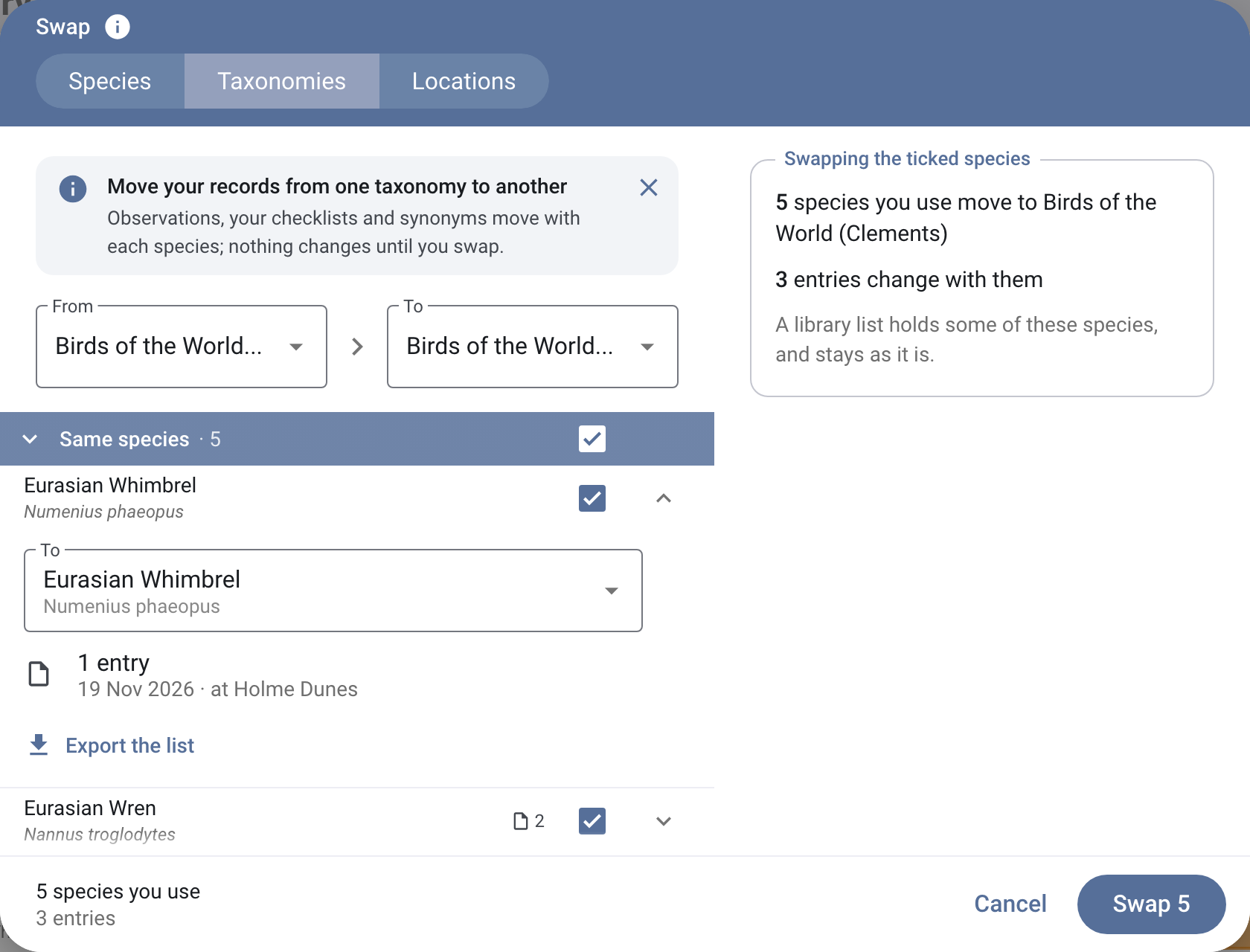
You don’t have to settle every choice now. Species you leave unticked stay on the old taxonomy, ready to swap later. When you’re moving off a retired taxonomy, Taxonomic Updates keeps track of what’s left.
Locations
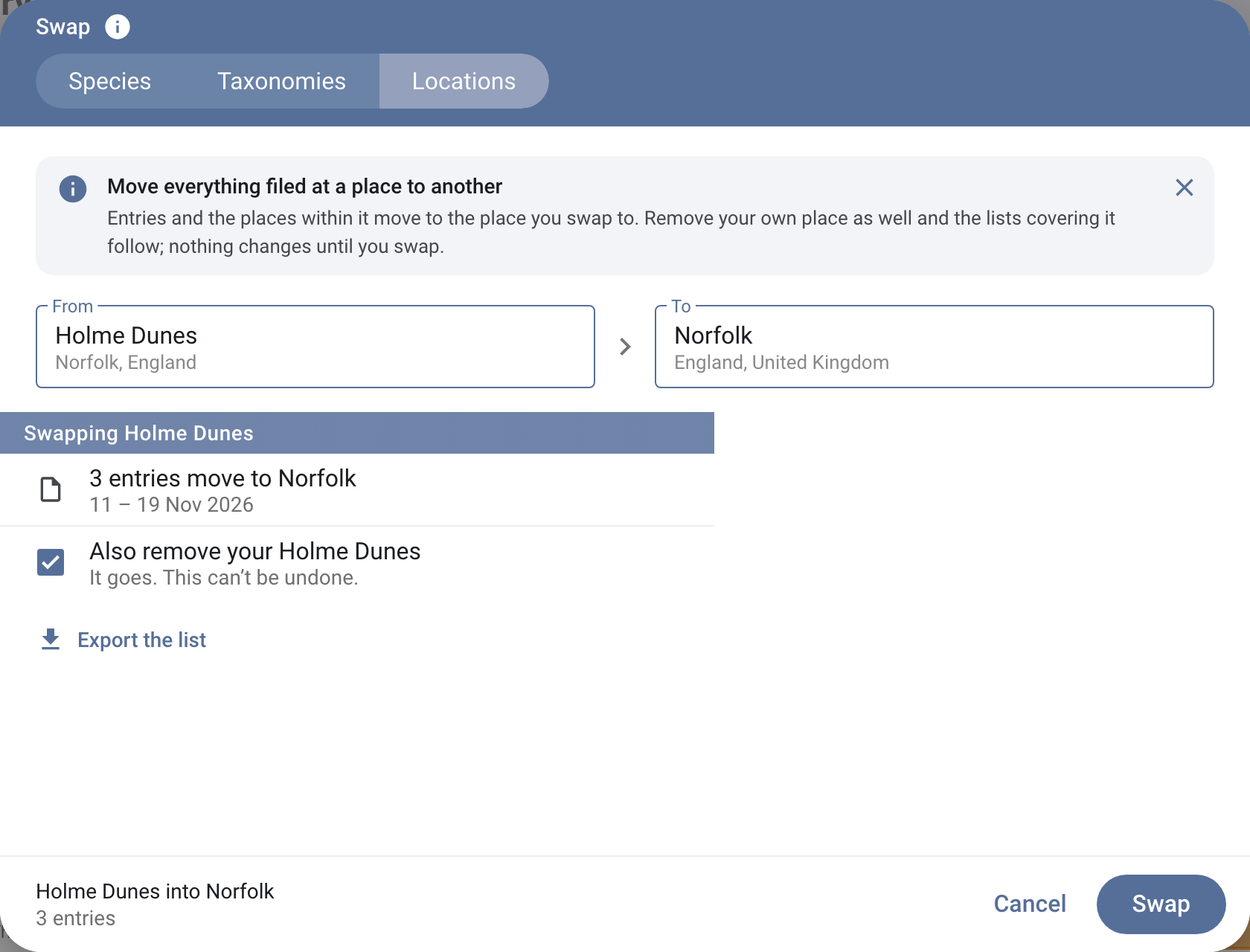
Use this tab to move everything filed at one place to another, for example when you have two locations for the same site, or a place of your own that the Library now has.
Choose the place in From, then the place to move to in To. Swap says what will move:
- the entries filed there;
- the places within it, which move under the new place (one with the same name as a place already there is merged into it).
If From is your own location, Also remove your … removes it once its entries have moved, and your own checklists and taxonomies covering it then cover the new place instead. Notes on a place you remove aren’t kept: Copy notes copies them first. Untick it to keep the place, with nothing filed at it. A place from the Library always stays.
Export the list saves a CSV of what will change. After a swap the tab stays open with To kept, so you can move the next place into the same one.
Before you swap
A swap can’t easily be undone, and removing a place can’t be undone at all. Swap always says what will change and asks you to confirm.