
Export from Wildlife Recorder
How to get your records out of Wildlife Recorder in the format Bird Journal reads.
Updated
Before you start, update the taxonomy in Wildlife Recorder to the latest version. It makes the import considerably easier, because there is far less ambiguity about which species a name refers to.
Open your sighting database in Wildlife Recorder and choose File ▸ Export.
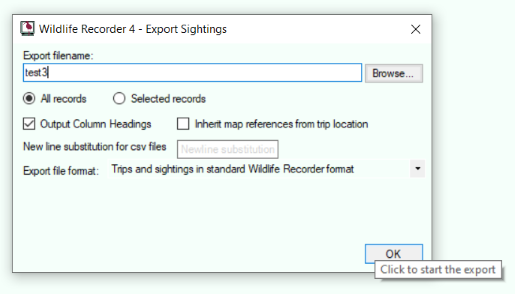
You can export the whole database or just the entries you have selected. Set the other options to match the screen above:
- Output Column Headings ticked.
- Export file format set to Trips and sightings in standard Wildlife Recorder format.
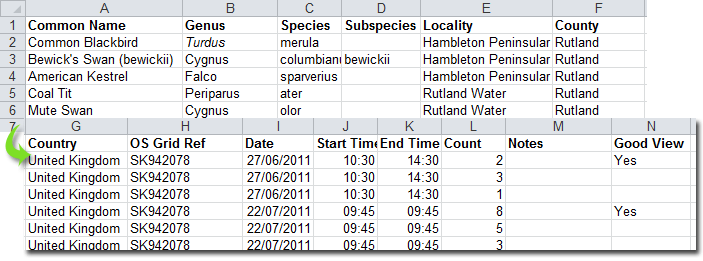
That produces a CSV file looking something like this.
You can then go on to import it into Bird Journal.