
Back up your journal
Your records are backed up to our systems as you make them. If you would like a copy of your own as well, here is how to download one.
Updated
Everything you record is synced to our systems as you record it, and if you are somewhere without a signal it goes up as soon as you have one again. So there is no backup routine to remember: if you lose a device, or reinstall, or move to a new computer, you sign in with your email address and password and your journal comes back.
Some people would rather hold a copy themselves as well, and that is easily done.
Downloading a backup
Open Tools ▸ Backup.
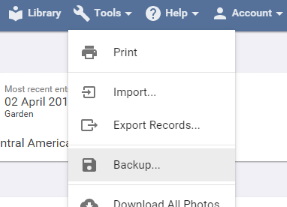
Bird Journal reminds you that it is already backing you up, and offers Download Backup. Press that and it makes a file called bird-journal-backup.birdJournal2:
- On Windows, Mac and Android it lands in your Downloads folder.
- On iPhone and iPad it lands in the Files app, under On My iPhone ▸ Bird Journal.
If it fails, the usual cause is not enough free space.
This is available in the Windows, Mac, iPhone, iPad and Android apps. The web app has no backup of its own, since it keeps nothing on your device to back up — everything is already on our systems.
Restoring one
Almost certainly you do not need to. Sign in with your email address and password and your records come down from our systems, which is quicker and safer than anything involving a file.
The backup file is there for the unlikely case where that is not enough. Please do not try to put one back by hand — get in touch and we will walk you through it.